
The Short Answer
To check if an email is a scam, do three things before you click anything: verify the real sender address (not just the display name), hover over links to see where they actually go, and never act on urgent demands for login, payment, or personal information. If you are unsure, forward the email to the ScamVerify™ email checker and let it analyze the sender, links, and language for you. This guide walks through every check, plus how to report phishing once you confirm it.
What You'll Learn
- How to read the real sender address and spot a fake one
- How to check a link without clicking it
- The language and design tells that give phishing away
- How to verify an email with the ScamVerify email checker
- How to report phishing the right way
1. Check the Real Sender Address, Not the Display Name
The display name is the easiest thing in an email to fake. A message can show "Amazon Support" or "Chase Bank" while the actual address behind it is something like billing@account-secure-amaz0n.co. Tap or click the sender name to reveal the full email address and read it carefully.
Watch for:
- A public domain for a company that would never use one, like yourbank@gmail.com
- Lookalike domains with swapped or added characters, like paypa1.com or apple-support.net
- A reply-to address that is different from the sender address
2. Check Links Without Clicking Them
On a computer, hover your mouse over any link and read the real destination in the bottom corner of your browser or email client. On a phone, press and hold the link to preview the URL. The visible text can say anything; what matters is where it actually points.
A link that claims to go to your bank but resolves to a random or misspelled domain is phishing. If you want to confirm a link is dangerous, copy it (do not open it) and paste it into the ScamVerify website checker, which checks the domain against more than 180,000 known malicious domains, refreshed daily.
3. Read the Language and the Ask
Phishing emails follow a script. They manufacture urgency and then push you toward an action that benefits the scammer. Common patterns:
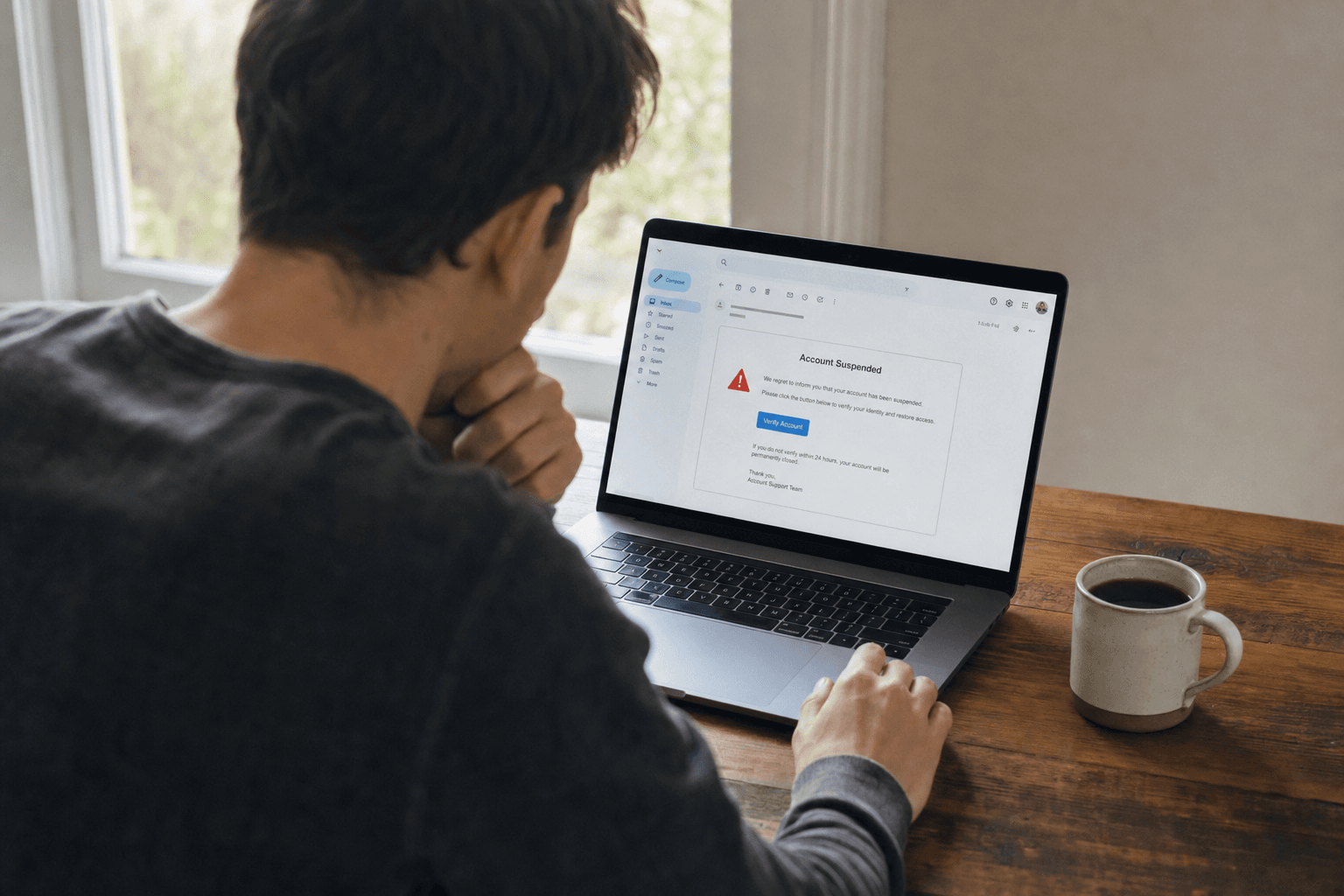
- "Your account has been suspended. Verify within 24 hours."
- "We detected unusual activity. Confirm your password now."
- "Your payment failed. Update your billing information."
- "You have a refund waiting. Click to claim it."
Generative AI has erased the typos and clumsy grammar that used to give scam emails away, so polished writing is no longer proof an email is real. Judge the ask, not the spelling. A legitimate company will never email you a link demanding your password, your full Social Security number, or a payment by gift card.
4. Check the Email with the ScamVerify Email Checker
If any of this feels uncertain, you do not have to make the call alone. Forward the suspicious message to the ScamVerify email checker. It analyzes the sender domain, inspects the links, and reads the language for phishing patterns, then gives you a plain-English verdict on whether the email is safe to trust. It is built for exactly the moment when an email looks almost right but something feels off.
Quick Reference: Scam Email Red Flags
| Red flag | What it means |
|---|---|
| Sender domain does not match the company | The "from" name is spoofed |
| Link text and real URL do not match | The link points somewhere you did not expect |
| Urgent deadline or threat | Pressure designed to stop you verifying |
| Asks for password, SSN, or payment | No real company collects these by email link |
| Generic greeting ("Dear Customer") | Mass-sent, not personal to you |
| Unexpected attachment | A common malware delivery method |
How to Report a Scam Email
Reporting phishing protects other people and helps providers shut the operation down.
- Report it to the impersonated company. Most banks and big brands have a phishing address, often phishing@ or abuse@ the company domain.
- Forward it to the Anti-Phishing Working Group at reportphishing@apwg.org.
- Report it to the FTC at ReportFraud.ftc.gov.
- Use your email provider's "Report phishing" button. In Gmail and Outlook this both removes the message and trains the spam filter.
- Then delete it, and do not reply or click anything.
What to Do If You Already Clicked or Replied
- If you entered a password, change it immediately on the real site, and turn on two-factor authentication. Change it anywhere else you reused it.
- If you shared payment details, call your bank or card issuer to freeze the card and dispute charges.
- If you gave personal information, place a free fraud alert or credit freeze with the three credit bureaus.
- If you opened an attachment, run a security scan and watch your accounts closely.
The Bottom Line
Checking an email is mostly about slowing down for ten seconds. Read the real sender address, look at where links actually go, and judge the request rather than the writing. When something looks almost right but not quite, forward it to the ScamVerify email checker before you act. Verifying costs you nothing; clicking can cost you everything.
FAQ
How can I tell if an email is really from my bank?
Check the sender's full email address, not just the display name, and hover over any links to see their true destination. Real banks never email you a link demanding your password or full account number. If you are unsure, do not use any link or number in the email. Log in to your account directly through the official app or website, or call the number on the back of your card.
Are scam emails easy to spot because of bad grammar?
Not anymore. Scammers now use AI to write clean, professional emails, so typos and awkward phrasing are no longer reliable warning signs. Focus on the sender domain, the real link destinations, and the request itself. Any email pressuring you to verify, pay, or confirm credentials urgently should be treated as suspect regardless of how polished it looks.
What should I do with a phishing email?
Do not click links or open attachments. Report it to the impersonated company, forward it to reportphishing@apwg.org and the FTC at ReportFraud.ftc.gov, and use your email provider's built-in "Report phishing" button. Then delete it. If you are not sure whether it is phishing, forward it to the ScamVerify email checker for a verdict first.
Is it dangerous to just open a scam email?
Opening an email is usually low risk on modern email apps. The danger comes from what you do next: clicking links, downloading attachments, or replying with information. Some emails also use tracking pixels to confirm your address is active, which can lead to more spam, so report and delete rather than leaving them in your inbox.


