TLDR
Americans receive 3.4 billion phishing emails every day, and 56% of reported phishing attacks are now AI-generated. Spotting fakes manually is getting nearly impossible. ScamVerify™ now offers the simplest way to check any suspicious email: forward it to scan@scamverify.ai. No app to download. No account required. AI analyzes the sender, content, links, and headers, then replies with a plain-English risk assessment. The service draws on 8 million+ threat records, including 74,032 malicious domains from URLhaus and 684,045 FTC impersonation complaints.
The Problem: Phishing Emails Have Outgrown Human Detection
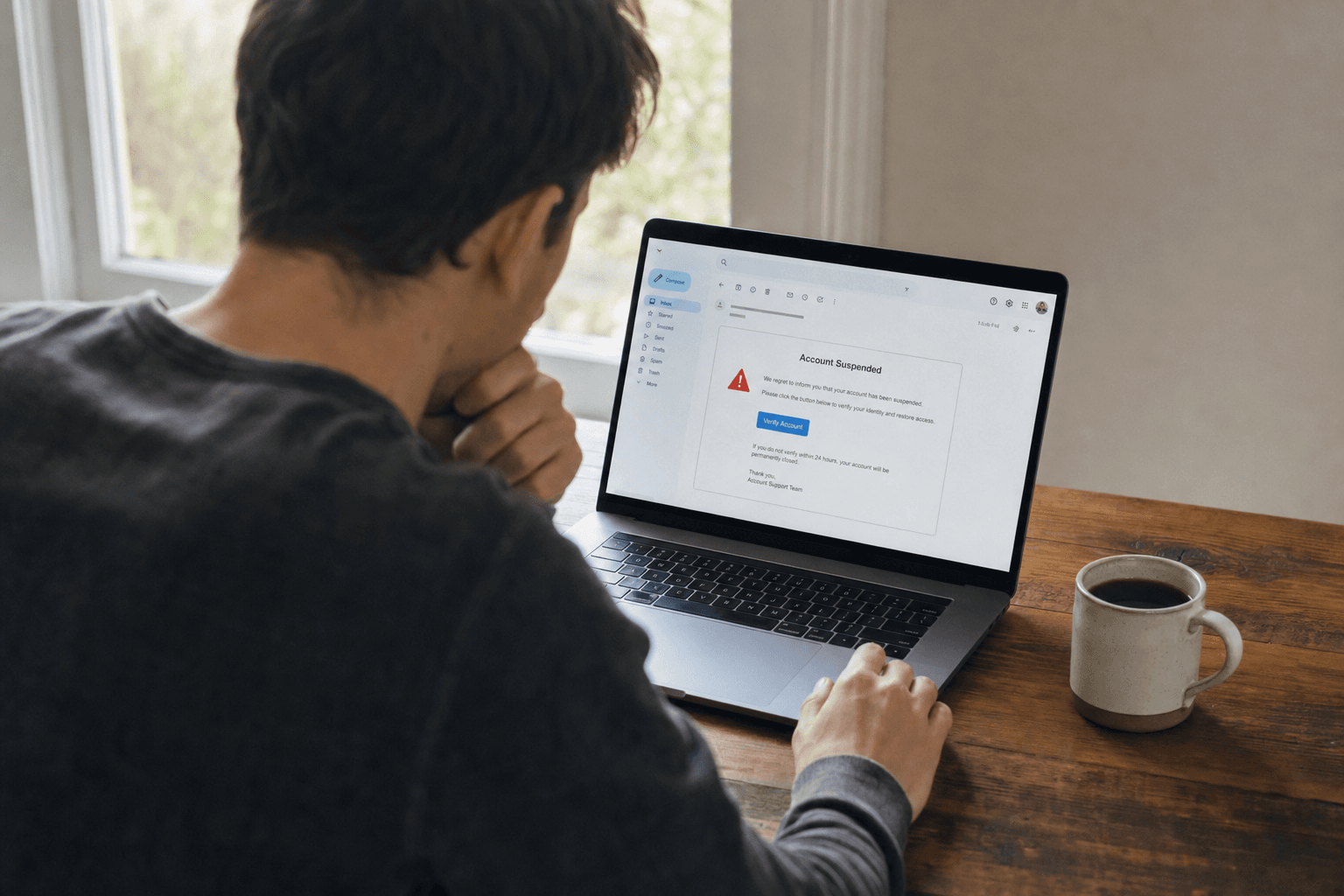
Phishing is not what it used to be. A decade ago, scam emails had broken grammar, suspicious attachments, and obviously fake sender addresses. In 2026, AI-generated phishing has erased every visual clue that once made these messages easy to spot.
The numbers paint a clear picture:
| Metric | Value | Source |
|---|---|---|
| Phishing emails sent daily | 3.4 billion | Cybersecurity Ventures |
| AI-generated phishing share | 56% of all reported attacks | Abnormal Security |
| AI phishing surge | 14x increase (4% to 56%) | SlashNext |
| Fraud losses (2025) | $12.5 billion | FBI IC3 |
| Impersonation complaints | 684,045 | FTC |
AI tools now generate phishing emails with perfect grammar, accurate branding, personalized details pulled from data breaches, and domains that look indistinguishable from the real thing. Our URLhaus data shows 81% of malicious domains use .com extensions, making them visually identical to legitimate sites.
The old advice of "look for typos" no longer works. You need a tool that checks what humans cannot see: email authentication records, sender reputation databases, link destinations, and content patterns across millions of known attacks.
The Solution: Forward It to scan@scamverify.ai
ScamVerify built the simplest possible scam check. If you receive a suspicious email and are not sure whether it is real, forward it to scan@scamverify.ai. That is it. No app download. No browser extension. No registration required for your first analyses.
The entire process works from whatever email client you already use: Gmail, Outlook, Apple Mail, Yahoo, or any other provider. If you can forward an email, you can use ScamVerify.
How It Works: 3 Steps
Step 1: Forward the Suspicious Email
Open the suspicious email in your inbox. Tap or click "Forward," and send it to scan@scamverify.ai. You do not need to add a subject line or any text in the body. Just forward.
The forward preserves the original email headers, sender address, content, links, and formatting. ScamVerify needs all of this to run a thorough analysis.
Step 2: AI Analyzes Everything
Within seconds, ScamVerify's AI engine processes the forwarded email across multiple dimensions:
| Check | What It Examines | Why It Matters |
|---|---|---|
| SPF/DKIM/DMARC authentication | Email header records | Reveals if the sender domain actually authorized the email |
| Sender reputation | Domain age, registration data, complaint history | New or disposable domains are high-risk indicators |
| Link analysis | Every URL in the email body | Cross-references 74,032 malicious domains from URLhaus |
| Content pattern matching | Language, urgency signals, formatting | Identifies manipulation tactics used across known campaigns |
| Impersonation detection | Sender vs. claimed identity | Checks against 684,045 FTC impersonation complaints |
The analysis pulls from 8 million+ threat records spanning FTC consumer complaints, FCC fraud reports, URLhaus malicious domain feeds, and ThreatFox indicators of compromise. No single human could cross-reference this many data sources manually.
Step 3: Get Your Risk Assessment
ScamVerify replies to your email with a clear, plain-English risk assessment. The reply includes:
- Risk score (Low, Medium, High, or Critical)
- Key findings explaining why the email was flagged or cleared
- Specific red flags identified in the sender, content, or links
- Recommended action (safe to engage, proceed with caution, or delete immediately)
The reply goes back to the same email address you forwarded from. No login needed, no portal to check, no app notification to find.
What ScamVerify Checks That You Cannot
Manual inspection catches surface-level issues. ScamVerify catches what is invisible to the human eye.
SPF, DKIM, and DMARC Authentication
Every legitimate email server publishes authentication records. SPF (Sender Policy Framework) lists which servers can send email for a domain. DKIM (DomainKeys Identified Mail) adds a digital signature. DMARC (Domain-based Message Authentication) sets enforcement policies. When any of these fail, it means the email was likely sent from an unauthorized server, even if the "From" address looks correct.
Most email clients do not show you this information. ScamVerify reads the raw headers and checks all three.
Link Analysis Against 74,032 Known Malicious Domains
ScamVerify cross-references every link in the email against our URLhaus database of 74,032 malicious domains. The data shows that 81% of malicious domains use .com extensions (60,047 domains), which means you cannot tell a dangerous link from a safe one just by looking at it.
| Extension | Malicious Domains | Percentage |
|---|---|---|
| .com | 60,047 | 81.1% |
| .net | 4,000+ | 5.4% |
| .org | 3,996+ | 5.4% |
| .xyz | 715+ | 1.0% |
| Other | 5,274+ | 7.1% |
Sender Reputation and Complaint History
ScamVerify checks the sending domain and address against FTC complaint data. With 684,045 impersonation complaints and 6.2 million+ total FTC records, the system identifies senders associated with known fraud operations. A sender that looks legitimate to you may already have hundreds of complaints in our database.
Content Pattern Recognition
AI-powered content analysis identifies manipulation patterns that are common across phishing campaigns: false urgency ("your account will be closed in 24 hours"), authority impersonation ("this is your bank's fraud department"), reward bait ("you have been selected for a $500 gift card"), and emotional pressure tactics. These patterns persist even when scammers change their domains and sender addresses.
Who Can Use It
Anyone with an email address. There is no operating system requirement, no app to install, no browser extension to configure.
| User Type | Access | Analyses Included |
|---|---|---|
| Anyone (no account) | Forward to scan@scamverify.ai | First analyses free |
| Registered free users | Forward + paste at /email-checker | 5 free lookups total |
| Starter subscribers ($5.99/mo) | Full access | 50 lookups/month |
| Pro subscribers ($12.99/mo) | Full access | 200 lookups/month |
| Inner Circle subscribers ($29.99/mo) | Full access | 500 lookups/month |
Subscribers can also add secondary forwarding email addresses in their Settings page. This means if you forward from a work email, a family member's email, or any address other than the one you signed up with, ScamVerify still recognizes you and counts the analysis against your subscription rather than the free tier.
You Can Also Paste Email Content Directly
Forwarding is the fastest method, but ScamVerify also offers a browser-based option. Visit the email checker page and paste the email content directly. This is useful when you want to check an email without forwarding it, or when you want to analyze just the text and links without the full headers.
The email checker analyzes the same threat intelligence sources: URLhaus domains, FTC complaints, content patterns, and urgency signals. For the most comprehensive analysis, forwarding is better because it includes the full email headers with SPF/DKIM/DMARC data.
Real-Time Threat Intelligence: The Numbers
ScamVerify does not rely on a static blocklist. The threat database updates continuously from multiple sources:
| Data Source | Records | Update Frequency |
|---|---|---|
| FTC Consumer Complaints | 6.2 million+ | Hourly sync |
| FCC Fraud Reports | 445,000+ | Daily sync |
| URLhaus Malicious Domains | 74,032+ | Automated sync |
| ThreatFox Indicators | 58,000+ | Automated sync |
| Community Reports | Growing daily | Real-time |
Combined, that is 8 million+ threat records feeding every analysis. When a new phishing campaign launches, reports flow into these databases within hours, and ScamVerify's analysis reflects the updated data immediately.
Tips for Best Results
- Forward the entire email. Do not copy-paste just the suspicious link. The full forward preserves headers that are critical for authentication checks.
- Forward as soon as you suspect something. Phishing campaigns are time-sensitive. The sooner you check, the sooner you know whether to act on the email or delete it.
- Do not click any links first. Forward the email before interacting with any links or attachments. If the email is malicious, clicking a link could compromise your device or credentials.
- Add your secondary emails in Settings. If you forward from multiple email addresses, add them in your account settings so ScamVerify can associate your analyses with your subscription.
- Combine with manual checks. ScamVerify catches technical red flags. You should still verify unexpected requests through independent channels, such as calling the company directly using a number from their official website.
Suspicious email?
Paste it to Ava and she explains exactly what you are dealing with and what to do next.
FAQ
Do I need a ScamVerify account to use scan@scamverify.ai?
No. Anyone can forward an email to scan@scamverify.ai and receive an analysis. Free users without an account get their first analyses at no cost. After that, creating a free account gives you 5 lookups, and paid subscriptions start at $5.99/month for 50 analyses.
Is forwarding the email safe? Will the scammer know I forwarded it?
Forwarding an email to ScamVerify does not notify the original sender. The forward goes to ScamVerify's servers, not back to the scammer. The original sender has no way to know you forwarded their message.
How long does the analysis take?
Most analyses complete within seconds. ScamVerify's AI processes the email headers, content, and links against 8 million+ threat records and replies to your forwarding address with the risk assessment. Complex emails with many links may take slightly longer.
What if ScamVerify says the email is safe but I still feel uneasy?
Trust your instincts. A "low risk" score means ScamVerify did not find known threat indicators, but no system catches 100% of scams. If the email asks for sensitive information, money, or urgent action, verify through an independent channel regardless of the score. Contact the supposed sender through their official website or phone number, not through any link in the email.
Can I use this for work emails too?
Yes. Add your work email as a secondary email in your Settings page, and forward suspicious work emails to scan@scamverify.ai just like personal ones. This is especially useful for catching business email compromise (BEC) attacks, which accounted for $2.9 billion in losses according to the FBI's IC3 report.
Got a suspicious email right now? Forward it to scan@scamverify.ai or paste the content at the ScamVerify email checker for instant AI-powered analysis.