
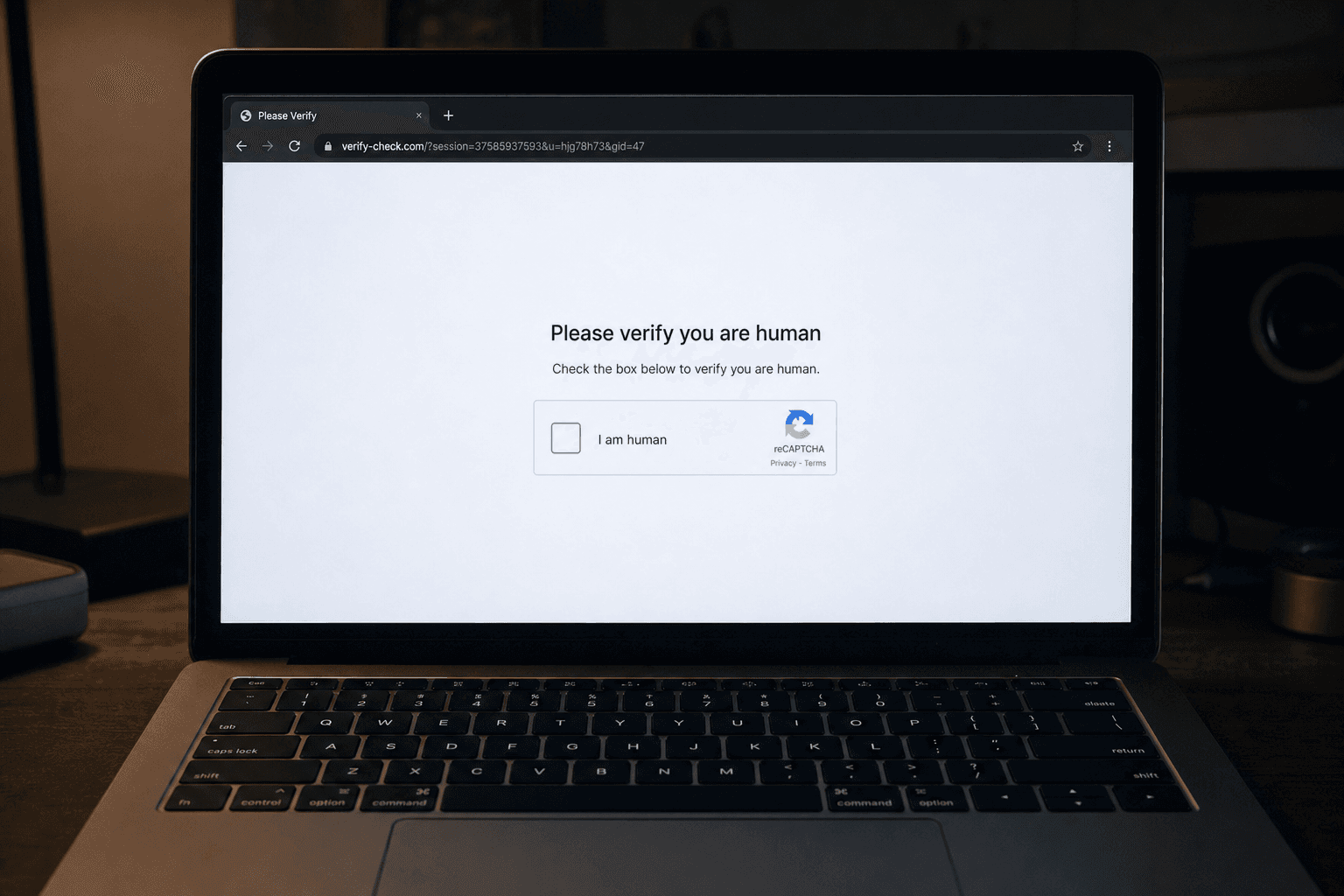
What's Happening Right Now
You have clicked "I'm not a robot" thousands of times. It is the most trusted, most ignored step on the internet, which is exactly why scammers have turned it into a weapon. The Federal Trade Commission is warning about a new scam that uses a fake CAPTCHA to trick people into infecting their own devices. Instead of proving you are human, the fake check hands you instructions that quietly install malware. Security researchers call the technique ClickFix, and it works because it borrows the one piece of the web everyone has been trained to trust.
ScamVerify™ flags this one because it flips the usual model. You are not tricked into giving up a password. You are tricked into running the attack yourself.
How CAPTCHA Phishing Works
The scam usually starts on a webpage you reached from a search result, an ad, a pirated-content site, or a link in an email or text. Then:
- The fake verification. A convincing "Verify you are human" or "I'm not a robot" box appears, often copying Google or Cloudflare branding.
- The unusual instructions. Instead of clicking a checkbox, you are told to complete "verification steps," such as pressing the Windows key and R, then Ctrl and V, then Enter. On a Mac, the steps target the Terminal.
- The hidden command. When the page loaded, it silently copied a malicious command to your clipboard. The keystrokes you were told to press open a system tool and paste that command in.
- The self-install. Pressing Enter runs the command, which downloads and installs malware, often an info-stealer that grabs passwords, browser cookies, and crypto wallets.
The genius and the danger of ClickFix is that you do all the work. Your antivirus sees you, the device owner, opening a tool and running a command, which raises far fewer alarms than a sketchy download.
Why It Is So Effective
| Tactic | Why it works |
|---|---|
| Uses a trusted CAPTCHA format | People click these on autopilot, without suspicion |
| Tells you to use keyboard shortcuts | Feels like a technical "verification," not an attack |
| You run the command yourself | Bypasses many automatic download warnings |
| Often mimics Google or Cloudflare | Familiar branding lowers your guard |
| Spreads through ads and search results | You can hit it without doing anything risky |
The One Rule That Stops It
A real CAPTCHA never asks you to press keyboard shortcuts, open a system window, paste anything, or run a command. Ever. A legitimate "I'm not a robot" check is a single click or a quick image puzzle, and that is all. The moment a "verification" tells you to press the Windows key, open Terminal, or paste something, close the tab. That instruction is the entire attack.
Red Flags
- A CAPTCHA that gives you keyboard steps (Windows and R, Ctrl and V, Enter)
- Any "verification" that asks you to open a system tool or paste a command
- A verification box on a pirated-movie, cracked-software, or low-quality site
- Instructions that mention "PowerShell," "Run," "Terminal," or "Command Prompt"
- A page that insists you must verify before you can view the content
What to Do
- Close the tab immediately. Do not press any of the keys it lists.
- Do not paste anything. If you suspect the page copied something to your clipboard, copy some harmless text to overwrite it.
- Check the site first. Before trusting any page that throws up a verification wall, paste the URL into the ScamVerify website checker, which screens it against more than 180,000 known malicious domains, refreshed daily.
- Keep your system and browser updated, and use reputable security software.
What to Do If You Already Ran the Command
- Disconnect from the internet to limit what the malware can send out.
- Run a full security scan with reputable antivirus software, and consider professional help to be sure it is removed.
- Change your passwords from a different, clean device, starting with email, banking, and crypto accounts, and turn on two-factor authentication everywhere.
- Watch your accounts closely and report any fraud. Info-stealers move fast, so act the same day.
The Bottom Line
CAPTCHA phishing works by hijacking the one web ritual everyone trusts. A real "I'm not a robot" check is a click, never a set of keyboard commands. If a verification box ever tells you to press the Windows key, open a terminal, or paste something to "prove you are human," it is malware, and closing the tab defeats it. When a page feels off, check the site before you follow a single instruction.
FAQ
Can clicking "I'm not a robot" give me a virus?
A real CAPTCHA cannot. The danger is a fake one. Scammers build counterfeit "I'm not a robot" boxes that, instead of a simple click, instruct you to press keyboard shortcuts and paste a command that installs malware. The legitimate check is always just a click or an image puzzle. If a verification asks you to use your keyboard or open a system tool, it is a scam.
What is ClickFix?
ClickFix is the technique behind CAPTCHA phishing. A malicious page silently copies a command to your clipboard, then a fake verification tells you to open a system tool, such as Windows Run or the Mac Terminal, and paste and run it. Because you execute the command yourself, it slips past many automatic download protections. The fix is simple: never run keyboard steps a CAPTCHA gives you.
How do I know if a CAPTCHA is fake?
Judge it by what it asks. A real CAPTCHA wants a single click or a quick image selection. A fake one tells you to press keys like the Windows key and R, to open Terminal or PowerShell, or to paste something. Any verification that involves your keyboard, a system window, or a command is fake. Close the tab instead of following the steps.
I followed the steps. What should I do now?
Assume malware was installed and act fast. Disconnect from the internet, run a full antivirus scan, and change your important passwords from a separate clean device, enabling two-factor authentication. Pay special attention to email, banking, and cryptocurrency accounts, since the malware behind this scam is usually an info-stealer designed to drain them.


