TLDR
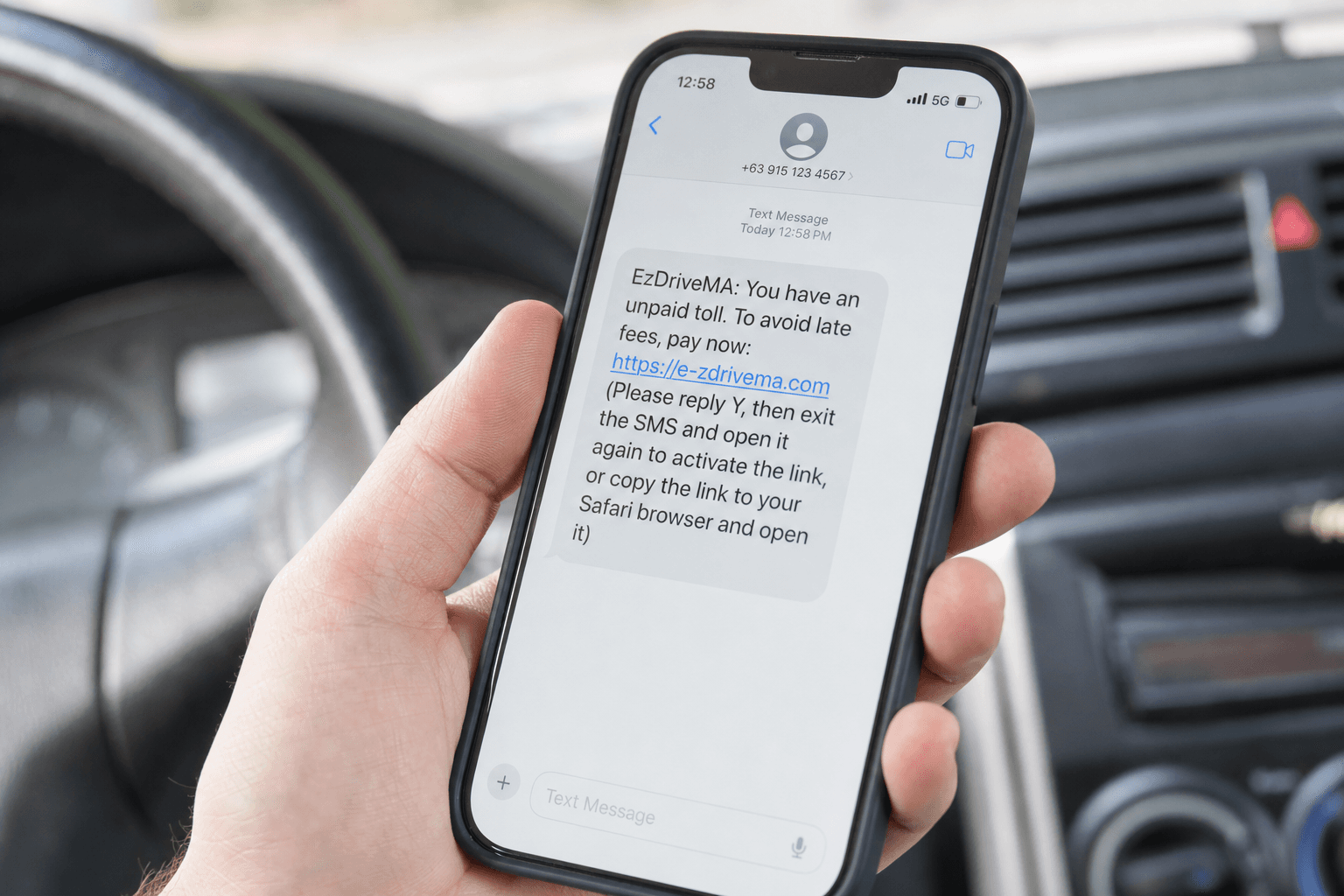
Government impersonation generated 330,000+ complaints to the FTC in 2025, making it the second most reported fraud category. ScamVerify™ has identified fake clones of IRS, SSA, DMV, and USCIS websites that use deceptive domains, free SSL certificates, and AI-generated content to steal personal information. The single most reliable defense: every legitimate federal website ends in .gov, a domain suffix that only verified government entities can register. Fake sites are just one face of government impersonation; the same crews also call and text.
Why Government Impersonation Is Surging
Government website impersonation is the fastest-growing category of phishing attacks in the United States. The FTC received 330,000+ government impersonation complaints in 2025, with reported losses exceeding $394 million. The median individual loss was $800, but some victims lost tens of thousands.
Three factors are driving the surge:
- AI content generation makes it trivial to replicate government language, forms, and layouts
- Free SSL certificates give fake sites the padlock icon that many people associate with legitimacy
- Tax season, benefit enrollment, and policy uncertainty create urgency that scammers exploit
The IRS listed government impersonation scams on its Dirty Dozen list for the third consecutive year. Meanwhile, confusion around government reorganization and benefit changes has created new opportunities for scammers to exploit uncertainty.
How Scammers Clone Government Websites
Domain Tricks
The most important thing to know: .gov domains are exclusively reserved for verified U.S. government entities. The General Services Administration (GSA) manages the .gov registry, and applicants must prove they are a legitimate government organization. Scammers cannot register .gov domains.
Instead, they use domains designed to look official at a glance:
| Real Government Domain | Common Fake Versions | Why It Works |
|---|---|---|
| irs.gov | irs-refund.com, irs-gov-portal.org, irs-tax-refund.us | Contains "irs" in the domain |
| ssa.gov | ssa-benefits.com, socialsecurity-gov.org, ssa-portal.net | Official-sounding words |
| dmv.org (varies by state) | dmv-renewal.com, state-dmv-online.com | DMV is already confusing by state |
| uscis.gov | uscis-immigration.com, us-citizenship-services.org | Long official names are easy to mimic |
As we detailed in our breakdown of phishing website anatomy, 86.7% of malicious domains use .com because it appears trustworthy. Government impersonation sites follow the same pattern.
Visual Cloning
Modern phishing kits can replicate a government website in under 10 minutes. Scammers use:
- Website scrapers that copy HTML, CSS, images, and logos directly from the real site
- Official government seals downloaded from public sources
- AI-generated policy text that mirrors the tone and format of real government content
- Identical navigation menus with links that point to the real site (except the login or payment page)
SSL Certificates
A padlock icon in the browser does not mean a website is legitimate. Free certificate authorities like Let's Encrypt issue SSL certificates to anyone, including scammers. In 2025, 82% of phishing sites used HTTPS. The padlock only means the connection is encrypted, not that the site is trustworthy.
The Most Targeted Government Agencies
IRS (Internal Revenue Service)
IRS impersonation peaks between January and April during tax filing season. Common tactics include:
- Fake "Where's My Refund" portals that steal Social Security numbers
- Tax transcript download pages that install malware
- "Verify your identity" forms mimicking IRS Identity Protection PIN systems
- Payment portals demanding immediate tax debt payment via gift cards or wire transfer
The real IRS website is irs.gov. The IRS will never initiate contact via email or text to request personal information.
SSA (Social Security Administration)
SSA impersonation scams target seniors and people nearing retirement. Scammers create fake sites claiming:
- Benefits will be suspended unless the victim verifies their identity immediately
- A new Social Security card must be applied for online with a processing fee
- Benefit amounts have changed and require account verification
The real SSA website is ssa.gov. The SSA will never threaten to suspend your Social Security number.
DMV (Department of Motor Vehicles)
DMV scams are especially effective because DMV websites vary by state, and many people do not know their state's official DMV URL. Scammers create sites offering:
- License renewal for a "processing fee" on top of the actual renewal cost
- Vehicle registration services that charge 3 to 5 times the real amount
- Driving record reports that steal personal information
Each state has its own DMV website. Search "[your state] DMV official site" and verify the domain ends in .gov or your state's official domain.
USCIS (U.S. Citizenship and Immigration Services)
USCIS impersonation targets immigrants who may be less familiar with U.S. government website conventions. Fake sites offer:
- Green card lottery applications (USCIS does not charge for lottery registration)
- Expedited visa processing for a fee
- "Case status check" pages that harvest receipt numbers and personal data
The real USCIS website is uscis.gov. The official Diversity Visa Lottery is free to enter at dvlottery.state.gov.
How to Verify a Real Government Website
Follow this five-step verification process before entering any personal information on a government website:
- Check the domain suffix. Federal sites end in .gov. State sites typically end in .gov or state-specific domains (e.g., ca.gov for California).
- Type the URL directly. Never click links in emails, texts, or ads. Go to the agency's website by typing the known URL.
- Look for HTTPS, but do not rely on it alone. The padlock is necessary but not sufficient.
- Search the agency name on Google. The real website will typically be the first organic result with a .gov domain.
- Run the URL through ScamVerify for a multi-source threat analysis that checks domain age, hosting, SSL details, and known threat databases.
Official Government Domain Reference
| Agency | Official Domain | What They Handle |
|---|---|---|
| IRS | irs.gov | Federal taxes, refunds, transcripts |
| SSA | ssa.gov | Social Security benefits, Medicare enrollment |
| USCIS | uscis.gov | Immigration, green cards, citizenship |
| State Dept | state.gov | Passports, visas, travel advisories |
| FEMA | fema.gov | Disaster relief, flood insurance |
| VA | va.gov | Veterans benefits, healthcare |
| Medicare | medicare.gov | Health insurance for 65+ |
| Selective Service | sss.gov | Draft registration |
| Federal Student Aid | studentaid.gov | Student loans, FAFSA |
| FTC | ftc.gov | Consumer protection, fraud reports |
What to Do If You Entered Information on a Fake Government Site
- Change passwords immediately for any accounts that use the same credentials
- Contact the real agency through their official .gov website to report the incident
- Place a fraud alert on your credit reports at all three bureaus (Equifax, Experian, TransUnion)
- File a report with the FTC at ReportFraud.ftc.gov
- Monitor your accounts for unauthorized activity for at least 12 months
- Consider a credit freeze if you shared your Social Security number
For a comprehensive guide to website safety checks, read our guide on how to check if a website is safe.
FAQ
Can scammers get a .gov domain?
No. The .gov domain is managed by the Cybersecurity and Infrastructure Security Agency (CISA) under the Department of Homeland Security. Only verified U.S. government organizations at the federal, state, local, and tribal levels can register .gov domains. The registration process requires official authorization from the government entity.
Why does the IRS website sometimes look outdated?
Government websites are updated on slower cycles than commercial sites, and some sections of irs.gov have not been redesigned in years. This actually makes it harder for scammers, because cloned sites that look "too modern" compared to the real site can be a red flag. However, do not rely on visual appearance alone, as always verify the domain.
Do fake government sites appear in Google search results?
Yes. Fake government sites frequently appear in both organic search results and paid ads. Google removes them when reported, but new sites appear constantly. In 2025, the FTC warned that scammers were buying Google Ads for terms like "IRS refund status" and "Social Security benefits." Always look for the .gov domain in the URL, not just the ad headline.
What is the difference between a .gov site and a .org site?
Anyone can register a .org domain for about $10 per year. It requires no verification of identity or organizational status. A .gov domain requires proof that the registrant is a legitimate government entity. Many scam sites use .org because it sounds official, but it carries no verification whatsoever.
How do I report a fake government website?
Report it to the FTC at ReportFraud.ftc.gov, to the real government agency being impersonated, and to the Anti-Phishing Working Group at reportphishing@apwg.org. You can also report phishing sites to Google Safe Browsing at safebrowsing.google.com/safebrowsing/report_phish. Run the URL through ScamVerify's website checker to contribute to community threat intelligence.