TLDR
Fake online stores cost consumers billions annually by selling counterfeit products, stealing payment information, or simply taking money and shipping nothing. ScamVerify™ tracks 69,088 malicious domains and found that while fake stores traditionally favor cheap TLDs like .shop, .site, and .online, 86.7% of all malicious domains now use .com to appear legitimate.
The 15-Point Fake Store Checklist
Domain and Website Signals
1. Domain age under 6 months Check WHOIS data. Legitimate stores have been around for years. A domain registered 2 weeks ago selling "luxury goods at 80% off" is a scam.
2. Unusual TLD While .com is not a guarantee of legitimacy, stores on .shop (combined 545 malicious domains with .site and .online in our database), .store, .top, or .buzz should face extra scrutiny.
3. No HTTPS or self-signed certificate Legitimate stores all use HTTPS. However, remember that HTTPS alone proves nothing because scam sites use free SSL certificates too.
4. Recently registered domain with privacy protection Check WHOIS. A new domain with hidden ownership selling products is a major red flag.
Pricing and Product Signals
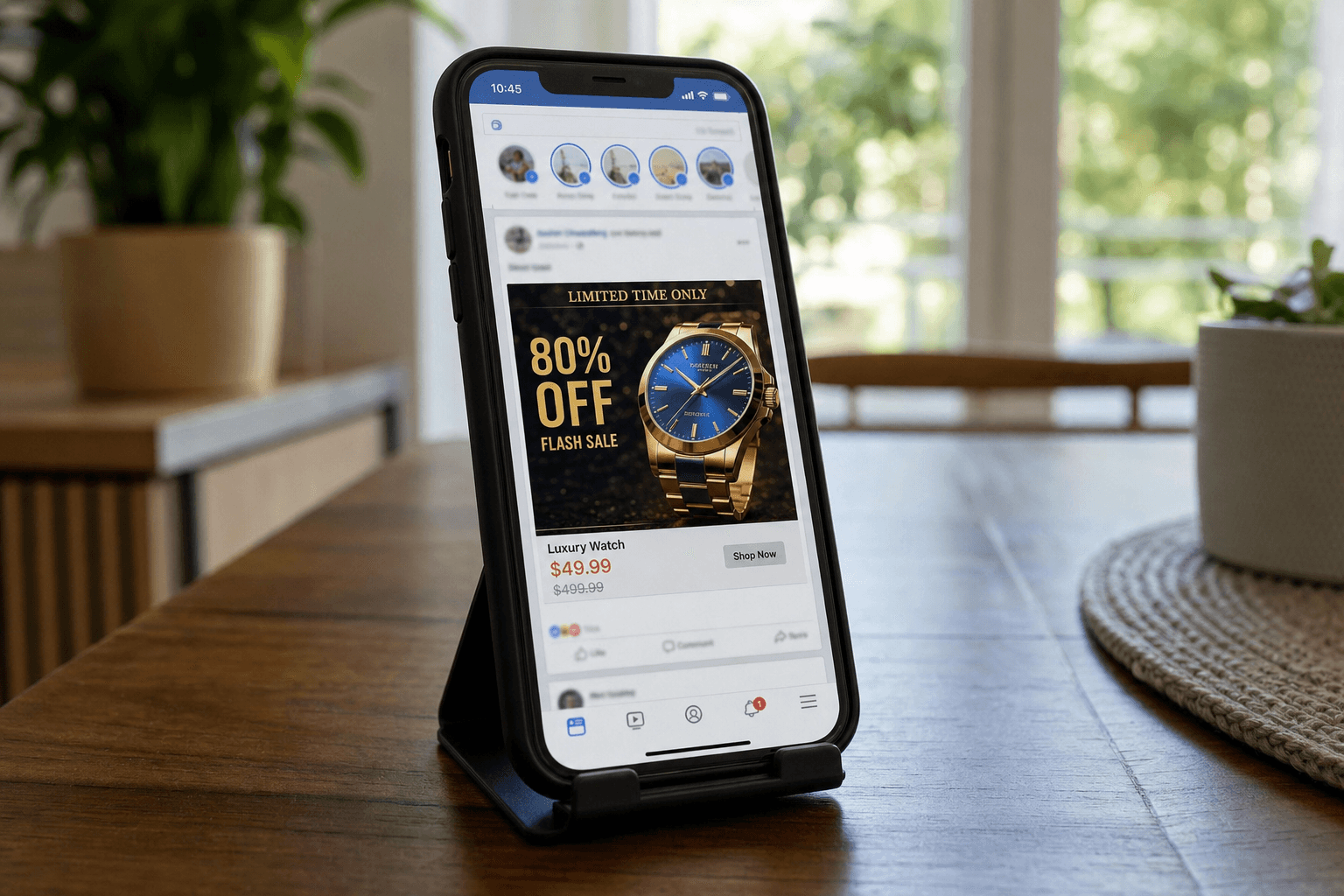
5. Prices 70-90% below retail If a luxury handbag retails for $2,000 and the site sells it for $199, it is either counterfeit or a scam.
6. All items "on sale" When everything on the site shows a crossed-out "original price" with a massive discount, the original prices were never real.
7. Limited or no product descriptions Real retailers invest in detailed product descriptions. Fake stores often use generic or poorly translated descriptions.
8. Stolen product images Fake stores copy images from legitimate retailers. Reverse image search (Google Images) can reveal the original source.
Business Legitimacy Signals
9. No physical address or fake address Google Maps the address. If it leads to a vacant lot, residential home, or does not exist, the store is fake.
10. No customer service phone number Or a phone number that no one answers. Real businesses provide multiple contact methods.
11. Contact is email-only (often a free email service) A store using a Gmail or Yahoo email for customer support instead of their own domain email is a red flag.
12. No social media presence or fake social media Check for a real social media presence with genuine customer interactions, not just an Instagram page with stock photos.
Checkout and Payment Signals
13. Only accepts wire transfer, cryptocurrency, or gift cards Legitimate stores accept credit cards and PayPal, which provide buyer protection. Scam stores push payment methods with no recourse.
14. No return policy or vague return policy Real stores have detailed return policies with specific timeframes and processes.
15. No privacy policy or copied privacy policy Check if the privacy policy references a completely different company name, a sign it was copied from another site.
Quick Verification Steps
Before buying from any unfamiliar store:
- Check the domain age via WHOIS lookup
- Search "[store name] reviews" and "[store name] scam"
- Check the BBB at bbb.org
- Verify the address on Google Maps
- Run the URL through ScamVerify
- Pay with a credit card (never debit, wire, or gift cards) for buyer protection
What to Do If You Already Bought from a Fake Store
- Contact your credit card company immediately to dispute the charge
- Document everything - screenshots of the site, order confirmation, payment receipt
- Report to the FTC at ReportFraud.ftc.gov
- Report to your state AG consumer protection division
- Change your password if you created an account on the fake site
- Monitor your credit card for additional unauthorized charges
FAQ
How do fake stores appear in Google search results?
Fake stores invest in SEO and paid advertising. They target brand-name product keywords with massive discounts in the title. Google's systems catch many of these, but new sites can appear in results briefly before being flagged. Shopping results from unknown stores deserve extra scrutiny.
Can I get my money back if I paid with a debit card?
Debit card purchases offer less protection than credit card purchases. Contact your bank immediately to dispute the charge. Under Regulation E, banks must investigate debit card disputes, but the timeline for getting money back is longer than with credit cards, and you may not recover the full amount.
Are Facebook and Instagram ads for stores trustworthy?
No. Social media platforms have significant problems with fake store advertisements. The low cost of ads and the ability to target specific demographics make social media a preferred channel for fake stores. Always verify the store independently before purchasing, regardless of where you saw the ad.