TLDR
QR code phishing, known as "quishing," surged 5x in 2025 as attackers shifted from clickable links to embedded QR codes that bypass traditional email filters. Keepnet Labs recorded 249,000 malicious QR code emails in November 2025 alone. An estimated 73% of Americans scan QR codes without verifying the destination (NordVPN survey), and more than 26 million people were directed to malicious sites through QR-based attacks last year. A single quishing campaign caused $2.3 million in damages at one financial institution. ScamVerify™ maintains a threat database of 8 million+ records, including 74,032 URLhaus domains and 60,758 ThreatFox indicators of compromise. You can scan any QR code at the ScamVerify QR scanner before following its link.
What Is Quishing?
Quishing is phishing delivered through QR codes instead of traditional clickable links. The name combines "QR" and "phishing." The attack works because QR codes are opaque. You cannot see where a QR code leads by looking at it, unlike a hyperlink where you can hover to preview the URL.
The basic attack flow is straightforward:
- Attacker creates a malicious website (credential harvesting, malware download, or payment fraud page)
- Attacker generates a QR code that points to the malicious URL
- QR code is distributed through email, physical stickers, printed flyers, or social media
- Victim scans the QR code with their phone
- Phone browser opens the malicious URL
- Victim enters credentials, payment info, or downloads malware
The critical advantage for attackers: email security filters cannot read QR codes the way they scan URLs. A text-based phishing link gets caught by most corporate email gateways. A QR code embedded as an image passes through those same filters undetected.
The 5x Surge: 2025 Quishing Data
The growth in quishing attacks has been dramatic and well-documented:
| Metric | Value | Source |
|---|---|---|
| QR phishing growth (2024 to 2025) | 5x increase | Keepnet Labs |
| Malicious QR emails (Nov 2025 alone) | 249,000 | Keepnet Labs |
| Americans who scan without verifying | 73% | NordVPN |
| People directed to malicious sites via QR | 26 million+ | Industry estimates |
| Largest single-campaign damage | $2.3 million | Financial sector report |
| Daily malicious QR emails targeting schools | 15,000 | Microsoft Security |
| ScamVerify threat records | 8 million+ | ScamVerify database |
The surge happened for three converging reasons. First, QR codes became mainstream during COVID-19 (restaurant menus, contactless payments, vaccine verification). Second, people developed a habit of scanning QR codes without thinking. Third, email security vendors were slow to add QR code scanning to their detection pipelines.
How Quishing Attacks Work in Practice
Email-Based Quishing
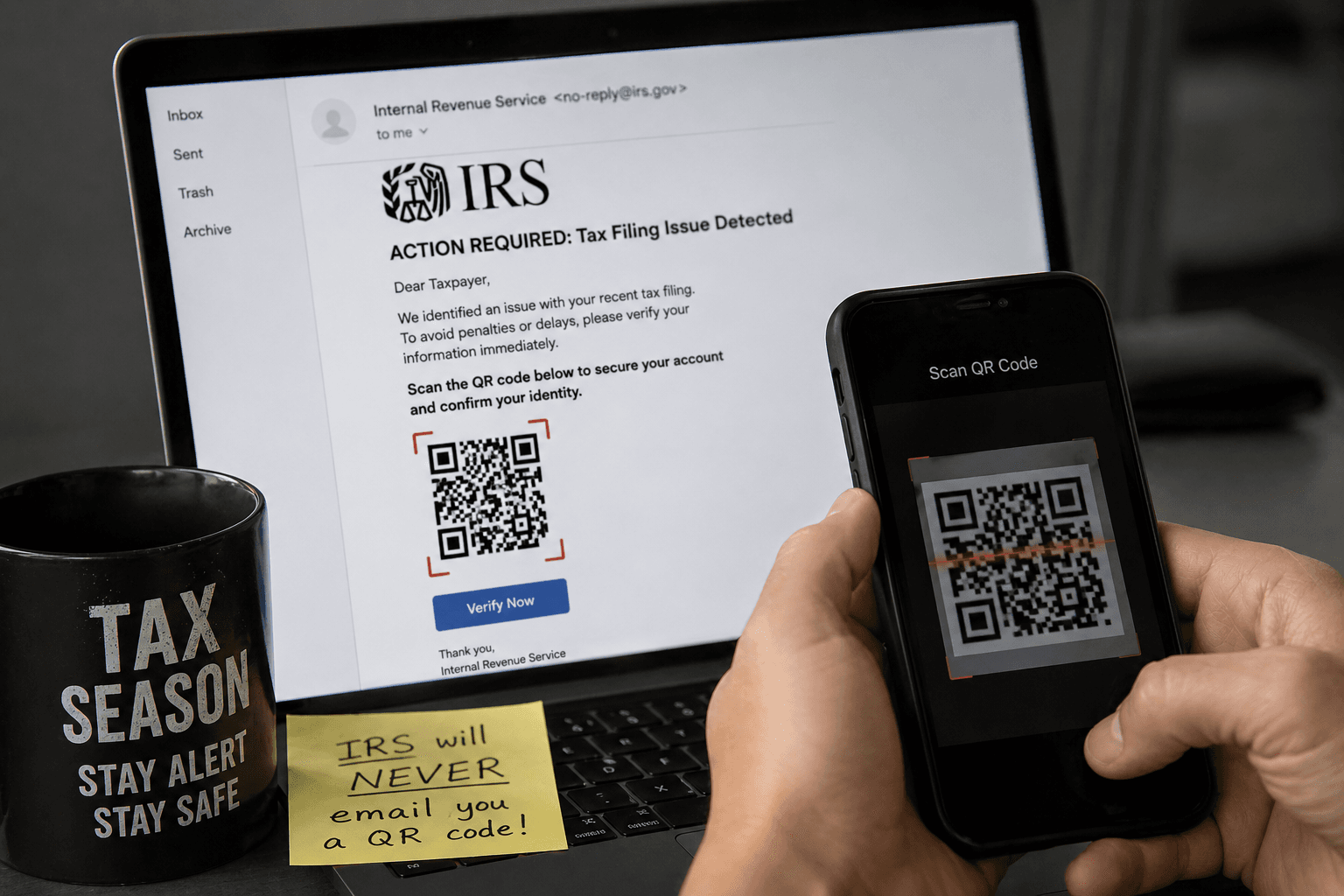
The most common vector. Attackers send emails that appear to come from trusted brands (Microsoft, DocuSign, banks, HR departments) with a QR code embedded as an image. The email instructs the recipient to "scan to verify your account," "scan to view your document," or "scan to update your payment method."
The email itself contains no malicious links, so it passes through email security. The malicious URL is hidden inside the QR code image, which most security tools treat as a harmless graphic.
Physical Quishing
Attackers place fake QR code stickers over legitimate ones in public spaces. Common targets include:
- Parking meters (fake payment QR codes)
- Restaurant tables (fake menu QR codes)
- Event venues (fake Wi-Fi or check-in QR codes)
- Transit stations (fake schedule or ticket QR codes)
- Package deliveries (fake return or tracking QR codes)
Physical quishing is particularly effective because people inherently trust QR codes they find in legitimate locations. A QR code on a parking meter feels trustworthy because the parking meter itself is legitimate. The sticker on top of it is not.
Social Media and Messaging Quishing
QR codes shared through social media posts, group chats, and messaging apps. These often promise free items, exclusive content, event tickets, or contest entries. The social context (shared by a friend, posted in a trusted group) lowers the victim's guard.
Why QR Codes Bypass Security
Traditional phishing detection relies on analyzing URLs in email text. When the URL is encoded as pixels in a QR code image, several security layers fail:
| Security Layer | Status Against Quishing |
|---|---|
| Email gateway URL scanning | Bypassed (no text URL to scan) |
| Browser URL preview on hover | Bypassed (QR opens directly on phone) |
| Corporate URL filtering | Bypassed (phone uses cellular network, not corporate proxy) |
| Anti-phishing toolbars | Bypassed (phone browser often lacks extensions) |
| User visual inspection | Bypassed (cannot read QR code by looking at it) |
The phone redirect is also significant. When you scan a QR code from a work email, the URL opens on your personal phone browser. This takes the request outside of corporate security controls entirely.
Real-World Quishing Campaigns
Microsoft 365 Credential Harvesting
One of the largest documented quishing campaigns targeted Microsoft 365 users. Emails appeared to come from IT departments, instructing employees to scan a QR code to "re-authenticate" their accounts. The QR code led to a convincing Microsoft login page that captured credentials. The campaign compromised accounts at multiple organizations before detection.
Banking QR Scams
Multiple banks reported customers receiving physical mail containing QR codes that claimed to link to "updated mobile banking" or "account security verification." The QR codes led to phishing sites that mimicked the bank's mobile interface and captured login credentials and one-time passwords.
IRS Tax Season Quishing
The IRS added QR code phishing to its 2026 Dirty Dozen tax scam list for the first time. Fake IRS communications containing QR codes direct victims to credential harvesting sites that request Social Security numbers, filing information, and bank details.
The $2.3 Million Wake-Up Call
A single quishing campaign resulted in $2.3 million in losses at one financial institution. The attack used a multi-stage approach: a QR code in a fake internal memo led employees to a credential harvesting site, which gave attackers access to internal systems. The attackers then used the compromised accounts to authorize fraudulent wire transfers over a period of weeks before detection.
This case illustrates why quishing is not just a consumer problem. It is a serious enterprise threat that bypasses security infrastructure organizations spent millions building.
How to Protect Yourself from Quishing
Before Scanning Any QR Code
- Ask whether you expected it. An unsolicited QR code in email, physical mail, or posted in a public space should be treated with suspicion.
- Check for tampering. On physical QR codes, look for stickers placed on top of printed codes. If the QR code looks like an overlay, do not scan it.
- Use a QR scanner that shows the URL first. Most phone cameras now show a URL preview before opening the link. Read the URL carefully before tapping.
- Scan suspicious QR codes through ScamVerify QR scanner. Upload a photo of the QR code, and ScamVerify will decode it and check the destination URL against 74,032 URLhaus domains and 60,758 ThreatFox indicators of compromise.
After Scanning a QR Code
- Check the URL in the browser bar. Does the domain match the expected company? Watch for misspellings and extra words.
- Never enter credentials or payment information on a page opened through an unsolicited QR code.
- If you already entered information, change your passwords immediately and enable two-factor authentication. If you entered payment details, contact your bank.
For Organizations
- Add QR code scanning to email security. Multiple vendors now offer this capability.
- Train employees on quishing. Include QR code scenarios in phishing awareness programs.
- Use dedicated URL inspection for QR-delivered links rather than relying on browser-level detection alone.
For a practical step-by-step guide on verifying QR codes before scanning them, see our complete QR code safety guide.
Before you scan that QR code…
Tell Ava where you found it. She checks where it leads before you point your camera at it.
FAQ
What makes quishing different from regular phishing?
The delivery mechanism. Regular phishing uses clickable text links that email filters can scan and block. Quishing embeds the malicious URL inside a QR code image, which most email filters treat as a harmless graphic. The result is a significantly higher bypass rate against existing security infrastructure. The destination is functionally the same (a credential harvesting site, malware download, or payment fraud page), but the path to get there evades detection.
Why did quishing surge 5x in 2025?
Three factors converged. QR codes became ubiquitous during COVID-19, creating a large population comfortable scanning codes without verification. Email security vendors were slow to add QR code image analysis to their detection pipelines. And attackers recognized the gap, discovering that a phishing URL embedded in a QR image bypassed the same filters that would have caught it as a text link.
Can my phone get malware from scanning a QR code?
Scanning a QR code itself does not install malware. The QR code simply encodes a URL. The risk comes from what you do after scanning: visiting the URL, downloading files, or entering information. On a fully updated phone with a modern browser, visiting a malicious URL alone is very unlikely to cause infection. The real danger is entering credentials or installing apps from the linked page.
How does ScamVerify detect malicious QR codes?
The ScamVerify QR scanner uses server-side QR code decoding (jsQR) to extract the embedded URL from any uploaded QR code image. That URL is then checked against 74,032 malicious domains from URLhaus and 60,758 indicators of compromise from ThreatFox. AI analysis evaluates the URL structure, domain age, and known threat patterns. The result is a plain-English risk assessment delivered in seconds.
Are physical QR code stickers common?
Yes, and growing. Law enforcement agencies across the United States have reported fake QR code stickers on parking meters, restaurant tables, event posters, and transit stations. The FBI and USPS have both issued public warnings about physical QR code scams. These attacks are effective because people trust QR codes they encounter in seemingly legitimate physical locations.